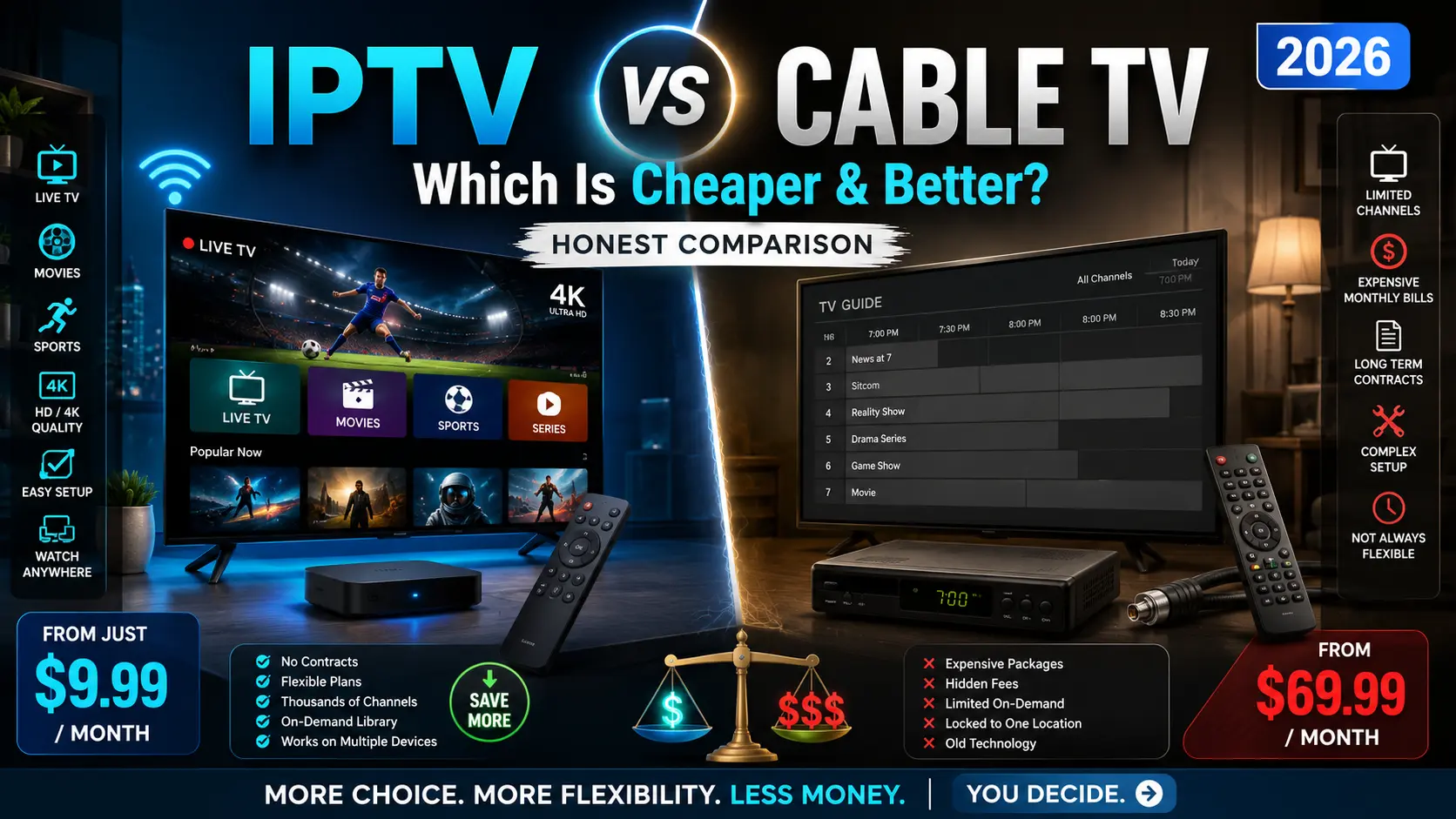
If your cable bill keeps climbing while you watch fewer channels than ever, you’ve probably wondered whether IPTV vs cable TV is a fight worth switching sides for. The short answer: for most people in 2026, IPTV delivers more flexibility for a fraction of the price — but cable still holds a few real advantages that matter depending on how you watch.
This guide breaks down the honest, side-by-side comparison: cost, channels, picture quality, reliability, equipment, and who each option is genuinely best for. By the end you’ll know exactly which one fits your household — and where the trade-offs hide.

Watch Every Match Smoothly
IPTV vs Cable TV: Quick Verdict
IPTV (Internet Protocol Television) streams live TV and on-demand content over your internet connection, while cable TV pushes signals through a physical coaxial or fiber line into a set-top box. That single difference — internet vs. dedicated cable — drives almost every advantage and drawback below.
| Factor | IPTV | Cable TV |
|---|---|---|
| Typical monthly cost | ~$10–$25 | ~$70–$130+ |
| Contract | Usually none / month-to-month | Often 1–2 year contracts |
| Equipment | Any streaming device or app | Rented set-top box + DVR |
| Watch anywhere | Yes (multi-device, on the go) | Mostly tied to the home TV |
| Depends on internet | Yes — needs stable broadband | No — works without internet |
| Local channels | Varies by service | Reliable, built-in |
| Reliability | Good with fast internet | Very consistent |
Cable wins on rock-solid reliability and effortless local channels. IPTV wins on price, flexibility, and watching on any device, anywhere. Now let’s dig into each.
What Is IPTV?
IPTV delivers television through your internet connection instead of a cable or satellite feed. Rather than a fixed broadcast schedule pushed down a wire, IPTV sends each stream as data packets — the same way Netflix or YouTube reach your screen — which is why you can pause, rewind live TV, and watch on a phone, tablet, Firestick, or smart TV. If you want the full technical picture, see our deep dive on what IPTV is and how it works.
IPTV generally comes in three flavors: live TV (channels streamed in real time), video on demand (VOD, a library you watch anytime), and time-shifted or catch-up TV (recently aired shows you missed). Most services blend all three.
What Is Cable TV?
Cable TV is the traditional model: a provider like Xfinity, Spectrum, or Cox sends television signals through a coaxial or fiber-optic line into a set-top box in your home. You choose a channel package, pay a monthly fee (plus equipment rental and fees), and watch on the TV connected to that box. It’s a mature, dependable technology — the trade-off is cost, contracts, and being largely tied to one location.
Cost Comparison: Where IPTV Pulls Ahead
Price is the number-one reason people switch. Cable packages in 2026 commonly run $70 to $130+ per month once you add equipment rental, broadcast fees, regional sports fees, and the price jump after your promo period ends. A single cable box rental alone can be $10–$15/month, and DVR service adds more.
IPTV services, by contrast, typically cost $10 to $25 per month, usually with no contract and no hardware to rent — you use a device you already own. Over a year, that’s often the difference between roughly $150 and $1,200+. Even factoring in the broadband you already pay for, the savings are substantial. If you want to test the waters before committing, many providers offer a free IPTV trial so you can check stream quality on your own connection first.
The honest caveat: IPTV requires a solid internet plan. If you’d need to upgrade your broadband to stream reliably, factor that into the math.
Here’s a realistic one-year comparison for a typical household:
| Cost over 12 months | IPTV | Cable TV |
|---|---|---|
| Monthly service | ~$15 × 12 = $180 | ~$100 × 12 = $1,200 |
| Equipment rental | $0 (own device) | ~$12/mo box = $144 |
| DVR add-on | Often included | ~$10/mo = $120 |
| Broadcast/regional fees | $0 | ~$25/mo = $300 |
| Approx. yearly total | ~$180 | ~$1,764 |
Even after subtracting the broadband you already pay for, most households save well over $1,000 a year by switching — which is exactly why cord-cutting keeps accelerating.
The Hidden Fees That Inflate Cable Bills
Cable’s advertised price is rarely what you pay. The real bill stacks up from equipment rental, a “broadcast TV fee,” regional sports fees, DVR service, and the sharp price increase once your 12-month promotional rate expires. Many customers who signed up at $69.99 find themselves paying $130+ a year later. IPTV’s pricing is far more transparent: a flat monthly rate, cancel anytime, no rented hardware. That predictability is a big part of the appeal.
Channels & Content
Cable’s strength is a predictable, bundled channel lineup — including local affiliates — delivered the same way every day. The downside is you pay for dozens of channels you never watch.
IPTV typically offers a far larger and more flexible catalog: thousands of live channels, international programming, sports packages, and on-demand libraries, often with add-ons you can toggle. The catch is that local-channel availability varies by service, and quality differs between providers — which is why choosing a reputable one matters. Our roundups of the best IPTV apps and individual service reviews can help you separate the reliable options from the rest.
For sports fans specifically: this is often the deciding factor. Cable bundles regional sports networks (RSNs) that carry local teams, but charges hefty regional sports fees for them. IPTV can offer broader access to national and international sports — including leagues and competitions cable never carries — but you must verify that your specific teams, RSNs, and out-of-market games are covered before you commit. If live sports is your main reason for keeping TV, make that check first.
Recording: DVR vs. Catch-Up TV
Cable handles recording through a DVR box, which usually costs extra monthly and has limited storage. IPTV approaches this differently: many services include cloud DVR or “catch-up TV,” letting you rewatch content that aired in the last few days without recording anything, plus large on-demand libraries. For most viewers, catch-up TV covers the same need as a DVR without the extra hardware fee.
Picture & Audio Quality
Both can deliver excellent HD and 4K picture. Cable quality is consistent because it doesn’t depend on your internet. IPTV can match or exceed it — many services stream in full HD and 4K with surround sound — but the quality you actually get depends on your internet speed and the provider’s servers. On a fast, stable connection, a good IPTV service looks every bit as sharp as cable; on a weak connection, you may see buffering during peak hours.
Reliability & Performance
This is cable’s home turf. Because it doesn’t rely on the internet, cable rarely buffers and holds up during peak-evening congestion and even many internet outages. IPTV is only as reliable as your broadband and the provider’s infrastructure. With fast internet and a quality service, IPTV is very dependable — but slow speeds, Wi-Fi problems, or an overloaded provider can cause buffering. If you ever run into that, our guide on fixing Firestick connection problems covers the most common fixes.
Device Flexibility & Watching Anywhere
IPTV is the clear winner here. You can watch on a Firestick, Roku, Android TV, smart TV, phone, tablet, or computer — often on several devices at once, and anywhere you have internet. Cable is largely anchored to the set-top box in your living room; watching elsewhere usually means clunky “TV Everywhere” apps with limited functionality. For cord-cutters who travel or watch on the go, IPTV’s portability is a genuine lifestyle upgrade. It’s also a natural fit if you’re already watching TV without cable.
Equipment Needed
Cable requires a provider-supplied set-top box (usually rented) and a coaxial connection, plus a separate DVR box if you want recording. IPTV needs only a device you likely already own — a streaming stick, smart TV, or phone — plus an app and your internet. No installation appointment, no rented hardware, no cables run through your walls.
How Does IPTV Compare to Streaming Services Like Netflix or YouTube TV?
It’s worth clearing up a common point of confusion. Netflix, Disney+, and similar apps are on-demand streaming services — libraries of movies and shows, but no traditional live channels. Live-TV streaming services like YouTube TV, Hulu + Live TV, and Sling sit in between: they stream live channels over the internet (technically a form of IPTV) but at higher prices closer to a slimmed-down cable bill, typically $40–$85/month.
Standalone IPTV services generally undercut those live-TV streamers on price and offer far more channels, especially international and sports content, while the mainstream live-TV streamers offer more polished apps and guaranteed local channels. If your goal is simply to watch TV without cable, it’s worth weighing all three models — on-demand apps, live-TV streamers, and dedicated IPTV — against how you actually watch.
Pros and Cons
IPTV pros: much cheaper, no contracts, watch on any device anywhere, huge on-demand and international content, easy setup. IPTV cons: depends on internet quality, local channels vary, and you must choose a reputable provider.
Cable pros: extremely reliable, consistent local channels, works without internet, simple for non-technical users. Cable cons: expensive, locked into contracts and fees, tied to one location, and you pay for channels you don’t watch.
Where Cable TV Still Wins
It’s only fair to give cable its due. If you have slow or unreliable internet, cable is the safer bet. If you want guaranteed local news and network affiliates with zero configuration, cable delivers that out of the box. And if you’re not comfortable installing apps or troubleshooting the occasional stream, cable’s plug-and-play simplicity has real value. For some households — especially in rural areas with weak broadband — cable genuinely remains the better choice.
Which Is Better for You?
There’s no single winner — it depends on how you watch:
- Best for budget cord-cutters: IPTV. The savings are dramatic and setup is simple.
- Best for sports fans: Usually IPTV for the breadth of channels and add-ons, though check that your specific leagues and locals are covered.
- Best for rural or slow-internet homes: Cable, for reliability that doesn’t hinge on broadband.
- Best for families who watch on many devices: IPTV, for multi-device streaming anywhere.
- Best for non-technical viewers who want zero fuss: Cable, for plug-and-play simplicity.
Is IPTV Legal and Safe?
Legitimate IPTV services that properly license their content are completely legal. The gray area comes from unlicensed services offering premium channels at implausibly low prices — those carry legal and security risks. Stick with reputable, properly licensed providers, and read our full breakdown of whether IPTV is legal in the US before subscribing. For added privacy and to avoid ISP throttling of streams, many users also run a VPN for IPTV.
How to Switch From Cable to IPTV
If IPTV sounds like the right fit, making the switch is refreshingly simple — no technician visit required:
- Check your internet speed. Run a quick speed test. Aim for at least 25 Mbps, more if several people stream at once.
- Choose a reputable IPTV service. Compare properly licensed providers and, ideally, start with a free trial to test quality on your connection.
- Pick your device. A Firestick, Roku, Android TV box, or smart TV all work — use what you already own.
- Install the app and sign in. Download the provider’s app (or a compatible IPTV app), enter your login or playlist, and load the channel guide.
- Test before you cancel cable. Run IPTV alongside cable for a few days to confirm it covers your must-have channels, then cancel cable to stop the bill.
That overlap period is the smart move — it guarantees you won’t lose access to anything essential before you pull the plug on cable.
Final Verdict
For most viewers in 2026, IPTV beats cable TV on the things that matter most day to day: cost, flexibility, and the freedom to watch anywhere on any device — typically at a fraction of a cable bill. Cable holds its ground on reliability, effortless local channels, and simplicity, which keeps it the right call for slow-internet homes and viewers who want zero setup. Weigh your internet quality and viewing habits against the breakdown above, and you’ll land on the option that actually fits your household — and probably a much smaller monthly bill.
Frequently Asked Questions
Is IPTV cheaper than cable TV?
Yes, significantly. IPTV typically costs $10–$25 per month with no contract or equipment rental, while cable commonly runs $70–$130+ once fees and box rentals are added. Just remember IPTV needs a reliable internet plan.
Is IPTV better than cable TV?
For most people, yes — IPTV offers more content, lower cost, and multi-device flexibility. Cable is better if you have slow internet or want guaranteed local channels and plug-and-play simplicity.
Can I get local channels on IPTV?
Sometimes — local-channel availability varies by IPTV service. If locals are essential, confirm they’re included before subscribing, or pair IPTV with an over-the-air antenna for free local channels.
Do I need fast internet for IPTV?
You need a stable connection — roughly 25 Mbps or more for smooth HD/4K streaming, especially across multiple devices. Slow or congested internet is the main cause of IPTV buffering.
Is IPTV legal?
Licensed IPTV services are legal. Unlicensed services offering premium content at unrealistically low prices are not, and carry legal and security risks. Always choose a reputable, properly licensed provider.
Can I switch from cable to IPTV easily?
Yes. There’s no installation appointment — just pick a reputable IPTV service, install its app on a device you already own, and start watching. Many offer a free trial so you can test quality on your connection first.